
Boka demo
Boka en personlig en-mot-en-demo av vår plattform och upptäck hur Mevision kan hjälpa dig att skapa anpassade tavlor, effektivisera din affärsverksamhet, och ge ditt team möjlighet att arbeta mer effektivt.


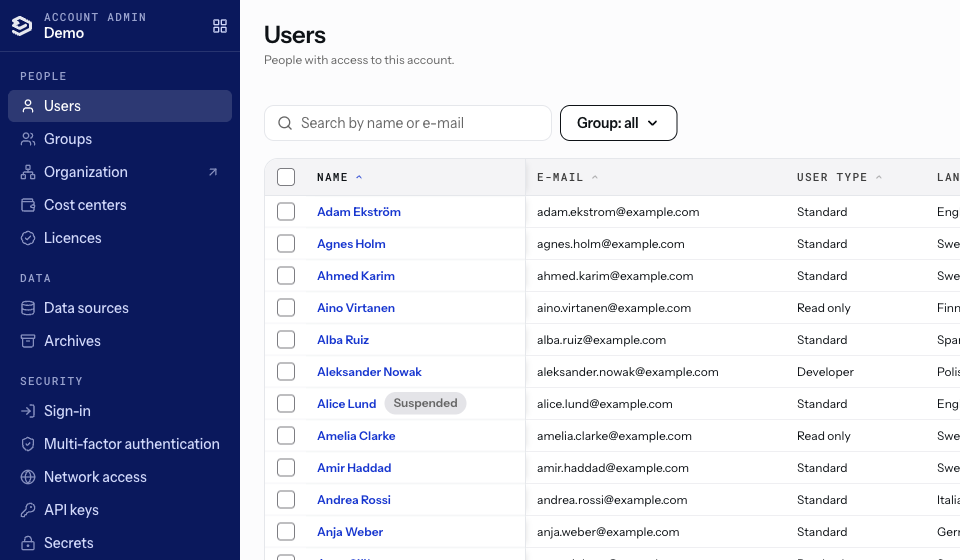
Account Admin brings the administration of a Mevisio account together. Users, groups, licenses, cost centers, data, security and languages now sit side by side, under one menu, and work the same way throughout.
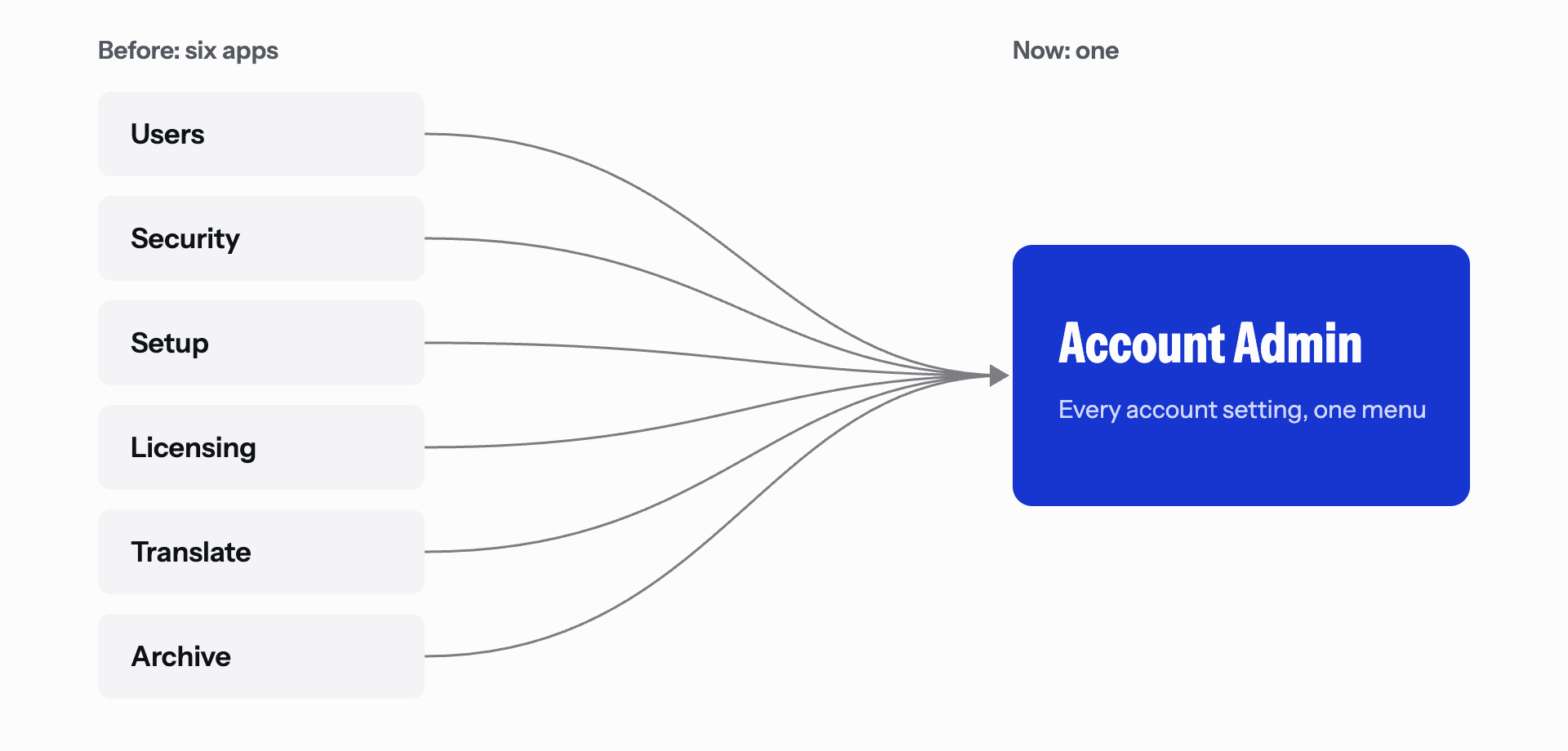
As Mevisio has grown, so has what an administrator looks after. Over the years those settings came to live in several separate apps: Users, Security, Setup, Licensing, Translate and Archive. Each did its job, but together they asked administrators to know where every setting lived, and made it harder to see the account as a whole.
Account Admin answers a simple question: what would administration look like if it were designed as one thing? The answer is a single place, organised around how an account is actually run.
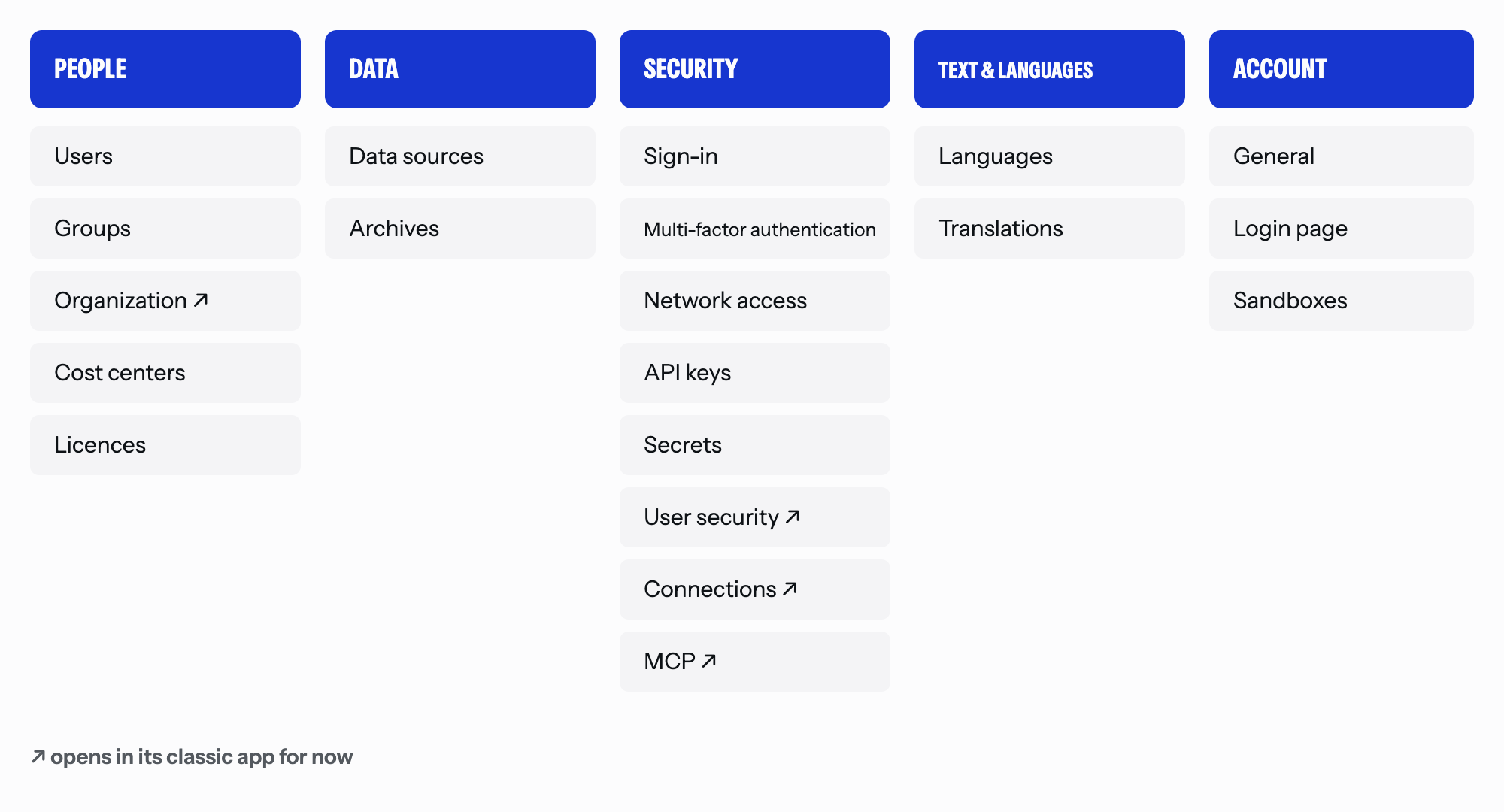
One overview of the account. Five sections, one menu:
Control over licences and costs. Licence use per licence type is shown where users are managed, and the licence report and cost centers are a click away.
Security in one section. Sign-in rules, multi-factor authentication, network access, API keys and secrets are managed together. Secrets are listed by name, and a value is shown only when someone asks to see it. Areas that need stronger sign-in ask for it, and every action is checked against the administrator's permissions.
Less to learn. Every list works the same way, with the same search, sorting and columns. Common jobs are done in bulk: activating, deactivating or editing several users at once, or sending welcome messages to a selection.
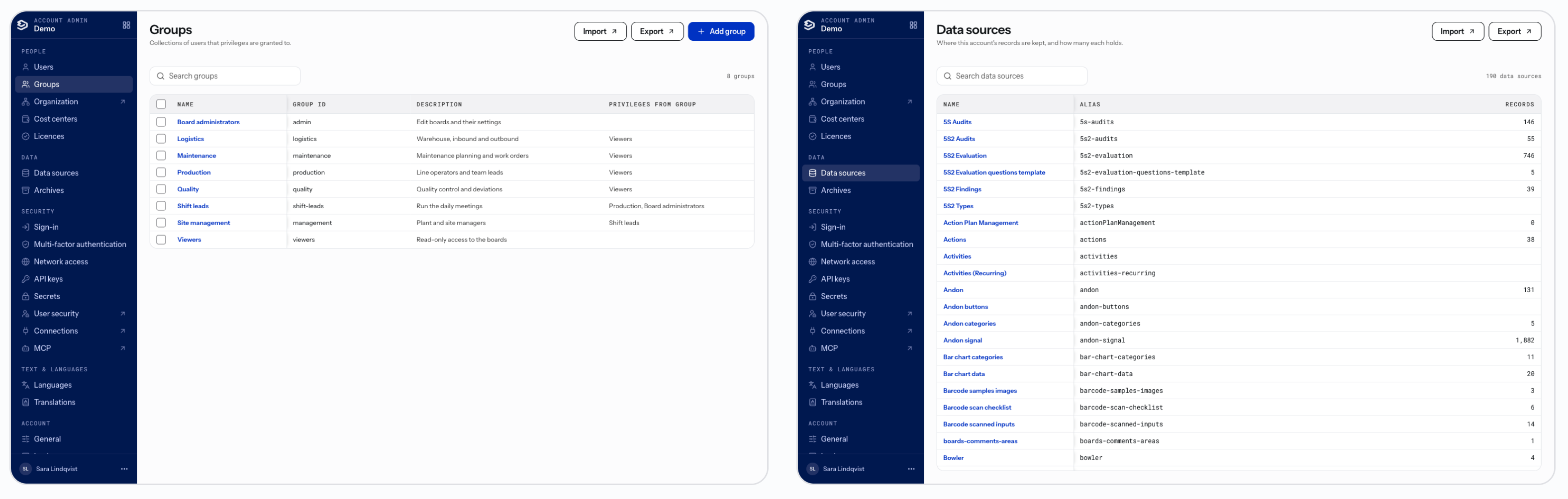
Built for organisations of every size. Account Admin is as quick with eighteen thousand users as with a hundred.
Never interrupts work. When we release an update, an open page lets the administrator know, and reloads only when they choose.
Account Admin runs alongside the classic apps, and each account decides when to move:


Nothing needs to be set up again: the settings in Account Admin are the same settings as before. A few settings, marked ↗, still open in their classic app for now.
Account Admin is the first Mevisio app built entirely on our refreshed brand. The Industrial Blue, the Instrument Sans type and the calm, open layouts of the new Mevisio brand now carry into the product itself.

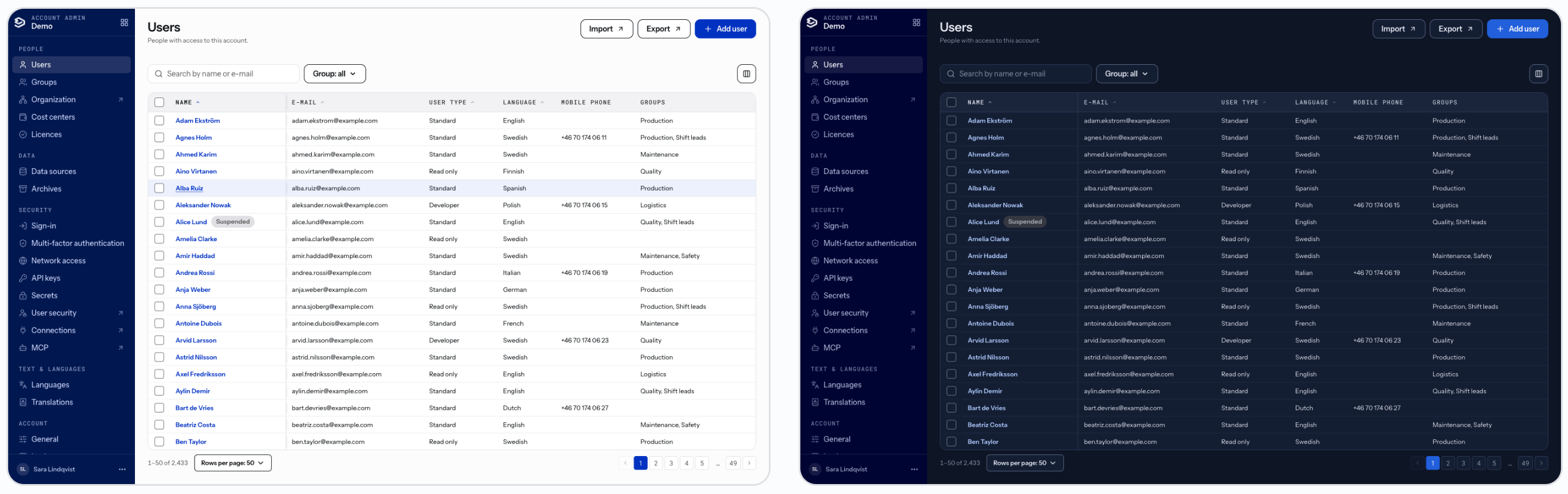
Account Admin will keep growing. Next up are an organization chart, import and export of users, groups, records and archives, a security overview for each user, and a profile page where every user manages their own details. Over time, Account Admin will become the one place for account administration.
Account Admin is available from today. Look for its tile in the app menu.


Visa alla bloggar